
In the world of Radio Frequency (RF) testing, manual calculations can be both time-consuming and prone to error. Tekbox Digital Solutions offers two essential Windows-based tools, AntCalc and dBcalc, to help engineers quickly determine antenna parameters and signal conversions. These utilities are particularly useful when working with EMC pre-compliance testing and antenna characterisation.
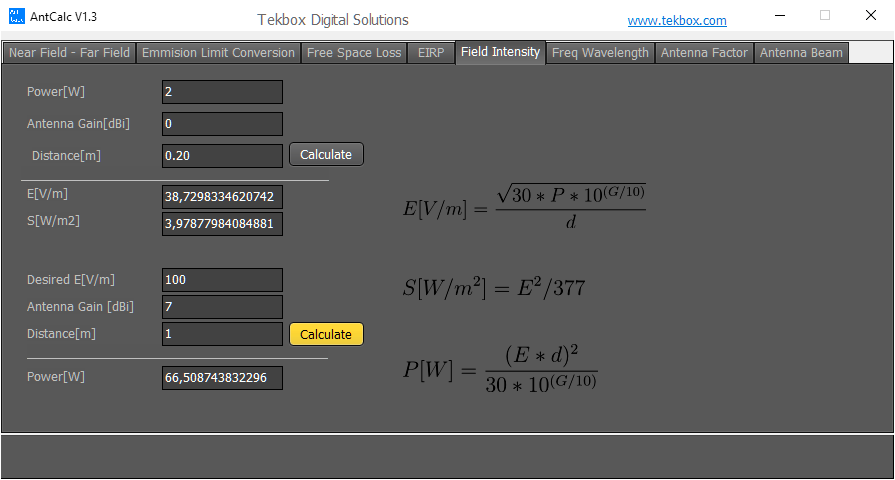
AntCalc Field Intensity Interface
1. AntCalc: Antenna Formula Utility
AntCalc is a dedicated utility for antenna-related mathematics. It consolidates complex formulas into a simple interface, allowing users to calculate critical values for both near-field and far-field scenarios. Key features include:
- Field Intensity: Convert between power (W) and electric field strength (V/m) or power density (W/m²).
- Propagation Loss: Calculate free space loss based on distance and frequency.
- EIRP & ERP: Determine the Effective Isotropic Radiated Power by factoring in transmitter power and antenna gain.
- Antenna Factors: Easily translate between field strength and receiver voltage.
Example Application: If you are testing a device 0.20 metres away from an antenna with 0 dBi gain and 2W of power, AntCalc quickly shows a resulting field intensity of approximately 38.73 V/m. This is vital for ensuring you are operating within safety or compliance limits.
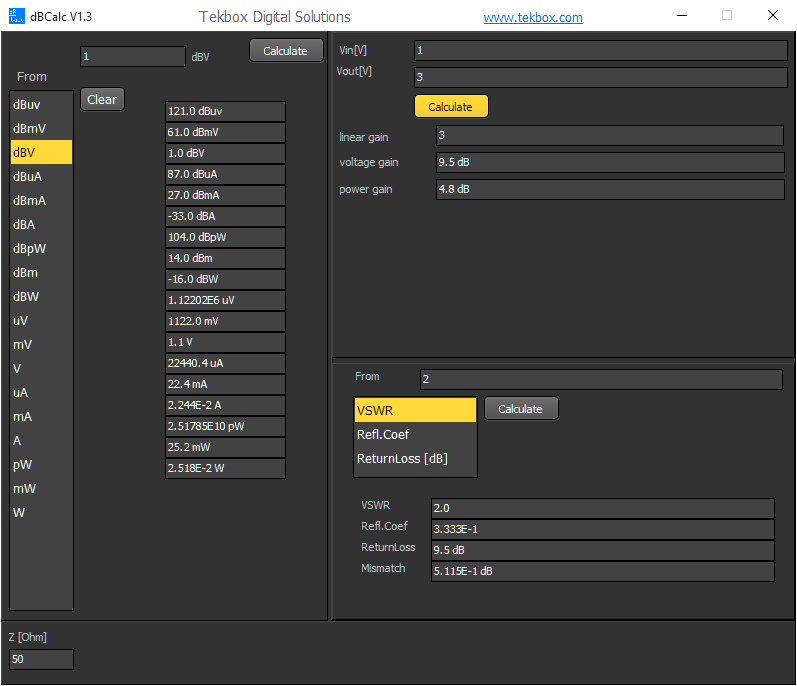
dBcalc Conversion Tool
2. dBcalc: Versatile Signal Converter
dBcalc is a comprehensive conversion tool that handles power, voltage, and impedance-related parameters. It is an everyday helper for anyone working with spectrum analysers or signal generators. Key capabilities include:
- Unit Conversion: Seamlessly switch between dBµV, dBmV, dBV, dBm, and linear units like Volts and Watts.
- VSWR & Reflection: Calculate Voltage Standing Wave Ratio, Reflection Coefficient, and Return Loss to evaluate antenna matching.
- Adjustable Impedance: While 50 Ohm is the standard for most RF equipment, dBcalc allows you to change the reference impedance (e.g., to 75 Ohm) in the lower-left corner for broader compatibility.
- Gain Calculations: Determine linear, voltage, and power gain between two signal levels.
Example Application: When converting a 1 dBV signal into different units, dBcalc immediately reveals that this equals 121 dBµV or roughly 1.12 Volts. Furthermore, entering a VSWR of 2.0 will show a Return Loss of 9.5 dB, indicating how much signal is being reflected back to the source.
Downloads and Support
Both tools are lightweight, require no complex installation, and are available directly from our website. They serve as the perfect companion to the Tekbox hardware available at Eleshop, such as LISNs, TEM cells, and near-field probes.
You can download the software here.





